
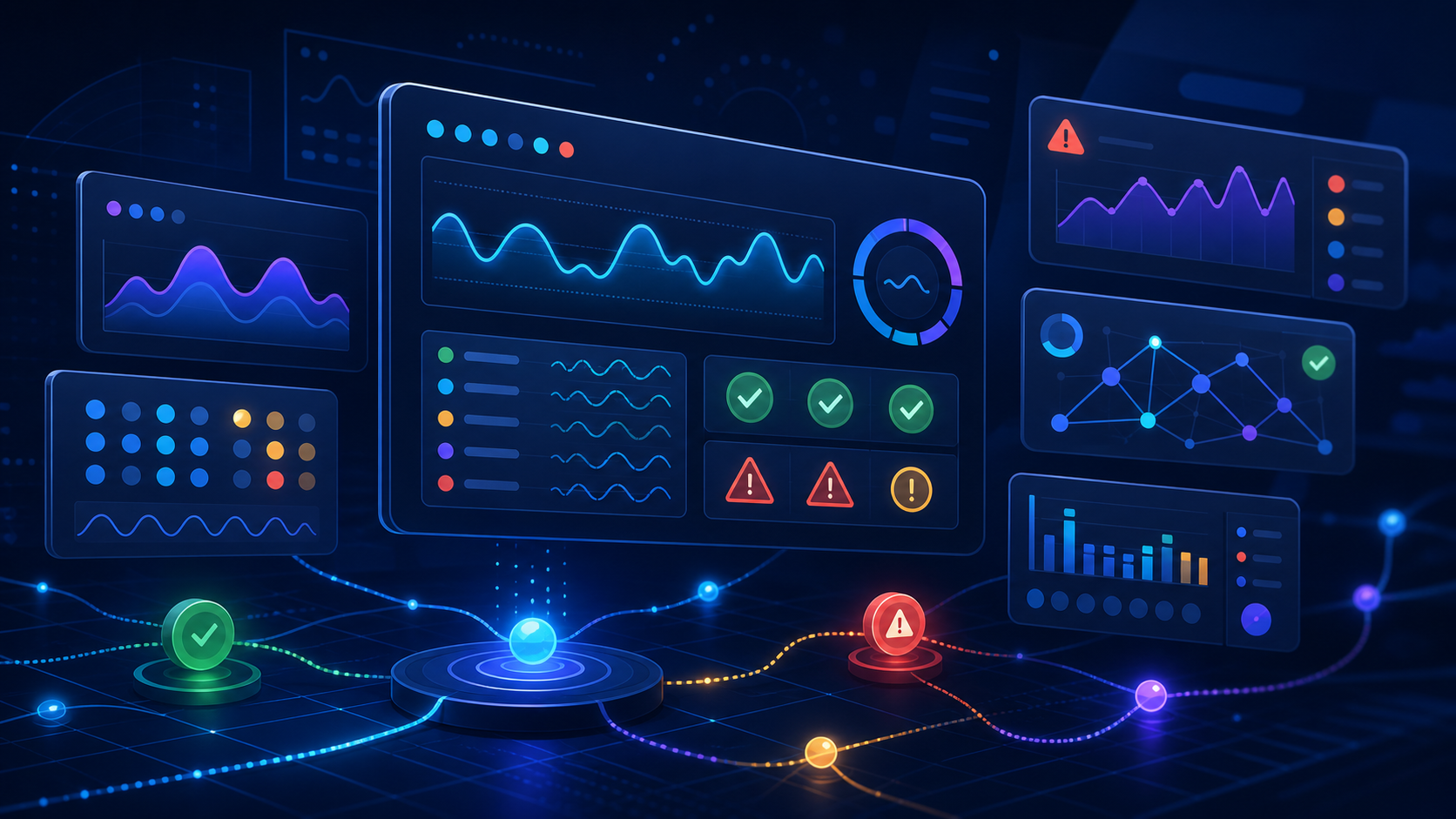
You launched your AI agent. It passed its dress rehearsal, survived the first week, and the early metrics look fine. Here is the uncomfortable question: what are you watching right now? Not what did you test before launch — what are you monitoring while it is live, talking to real people, making real decisions? That gap between pre-launch testing and post-launch watching is where AI agent observability lives.
Table of Contents
The Gap Between Testing and Watching
Most teams invest serious effort in pre-launch testing and almost nothing in post-launch observation. The dress rehearsal catches the obvious failures — the edge cases, the tone breaks, the questions the agent should not answer. But once the agent is live, it faces inputs nobody rehearsed. Visitors ask things in combinations you never imagined. A pricing page gets updated and the agent’s knowledge goes stale. A competitor changes a feature. The model gets a silent version bump from the provider.
AI agent observability is the discipline of watching a live agent closely enough to catch drift before it becomes damage. It is not the same as testing. Testing asks “did it work?” Observability asks “is it still working, and how do we know?” The difference matters because a customer-facing agent is not a static deployment. It is a system running against a moving world.
If you have been reading along, you already know the pieces. The shift from copilot to agent means you are now supervising work you did not personally watch. The shift lead owns the lane. But owning a lane without instruments is flying blind. Observability is how the shift lead actually sees what is happening.
Four Signals for AI Agent Observability
You do not need a full telemetry platform on day one. You need four signals, each answering a different question about whether your AI agent observability is catching what matters.
Signal 1: Handoff Rate
What percentage of conversations does the agent escalate to a human? This is your most honest health metric. A handoff rate that jumps overnight often means something changed — a stale source, a model regression, or a new visitor pattern the agent was not trained for. A handoff rate that drops to near zero is not necessarily good news either. It might mean the agent has stopped recognising when it should escalate, which is worse.
Track this number weekly. The absolute value matters less than the trend. A stable 15% handoff rate on a website coverage agent is healthy. A jump from 15% to 35% in a week is a red alert.
Signal 2: Correction Rate
When the agent does answer without handing off, how often does a human need to fix the output afterwards? This is the correction rate — the percentage of agent responses that needed substantive human editing before they reached the customer. A high correction rate means the agent is producing plausible-but-wrong answers. A rising correction rate means something is drifting.
Corrections are not failures. They are signal. Every correction is a data point about where the agent’s knowledge, instructions, or tool access are insufficient. The teams whose AI gets better are the ones who capture corrections and feed them back. The teams whose AI plateaus are the ones who fix silently and move on.
Signal 3: Confidence Distribution
If your agent produces a confidence score (and it should), watch the distribution over time. Not the average — the distribution. Are more conversations landing in the low-confidence bucket this week? Is the spread widening? A healthy agent has a predictable confidence shape: high confidence on in-lane questions, medium confidence on edge cases, low confidence on out-of-scope queries. If that shape flattens or shifts, something has changed in the input landscape or the model’s calibration.
Signal 4: Source Freshness
How old is the newest source the agent is citing, and how old is the oldest? A website coverage agent that pulls from a pricing page last updated three months ago is answering from stale ground. Track the gap between “last source update” and “today” as a weekly number. When it exceeds your review threshold, the source has expired and should be removed from the public-answer lane until someone reviews it.
The Review Rhythm
Signals without a review rhythm are just numbers on a screen. Observability only works if someone looks at the signals on a schedule and acts on what they see. The rhythm does not need to be heavy. Fifteen minutes, once a week, same time, same person.
Here is what that fifteen minutes looks like. Pull the four signals. Compare to last week. If nothing moved, note it and move on — stability is not a problem. If one signal shifted, ask one diagnostic question: what changed? Model version, source update, visitor pattern, prompt edit, tool access. The answer is almost always one of those five. Find it, decide whether it needs a fix, and log the decision.
This is where visual orchestration earns its keep. A live agent running on a visible workflow — the kind meLink avo renders as an inspectable canvas — lets you see which branch is firing more than usual, which source is being pulled most often, and where the handoff gate is triggering. You are not reading a transcript. You are looking at a map of what the agent actually did this week.
What to Do When a Signal Turns Red
A red signal is not a crisis. It is a question. The first response is always the same: read five conversations from the affected bucket. Not five random conversations — five from the specific slice the signal is pointing at. If handoff rate jumped, read five handoffs. If correction rate spiked, read five corrected outputs. If confidence distribution shifted, read five low-confidence responses.
Five conversations will almost always tell you what the dashboard cannot. You will see the pattern: they are all about the same topic, or they all reference a page that changed, or they all hit the same tool call that is now returning errors. The signal tells you where to look. The conversations tell you what you are looking at.
Then apply the simplest fix that could work. Update the source. Tighten the prompt. Add a routing rule. Remove the broken tool. Do not redesign the workflow for a signal that might have a single cause. The NIST AI Risk Management Framework calls this “continuous monitoring and improvement” — the practice of treating a deployed AI system as something that needs ongoing attention, not a set-and-forget deployment.
The Instrument Before the Dashboard
There is a temptation to start with the dashboard. Do not. A dashboard is a display layer. Before you build one, you need the instrument underneath — the thing that actually captures the signal. For a small team, the instrument can be remarkably simple. A spreadsheet with four columns, updated once a week, is a working observability system. The point is not sophistication. The point is that someone is watching, regularly, with a clear idea of what “normal” looks like and what “different” means.
The teams that lose control of their AI agents are not the ones who failed to build dashboards. They are the ones who stopped looking. The agent launched, the early metrics looked fine, everyone moved on to the next project, and nobody noticed the slow drift until a customer mentioned it. Google’s SRE handbook puts it bluntly: monitoring is only useful if someone is alerting on it and responding. A signal nobody reviews is noise.
So start with the weekly review. Add the spreadsheet. Track the four signals. When you outgrow the spreadsheet — when the volume of conversations makes manual review impractical — then build the dashboard. But the dashboard should serve the review, not replace it. The review is the instrument. The dashboard is the display.
Your AI agent observability practice does not need to be sophisticated. It needs to exist. A live agent with no one watching is an unattended machine. It does not matter how good the dress rehearsal was. What matters is whether someone is paying attention now.
Leave a Reply