

Most teams think about an AI workflow in one direction: get it live, make it useful, expand it carefully.
That is sensible. But it leaves out a question that becomes more important the moment an assistant touches customer conversations, internal systems, or company knowledge: how does it stop?
An AI exit plan is not an admission that the project will fail. It is a commitment that the business, not the workflow, remains in charge. It describes how an assistant is retired, replaced, paused for a long period, or taken out of a sensitive lane without leaving behind loose access, confusing customer expectations, or orphaned context.
We spend a lot of time debating whether agents are ready for more autonomy. A more grounded test is this: could your team turn one off cleanly on a Friday afternoon and still know what happens on Monday?
An AI exit plan is a customer-experience decision
Consider a website assistant that has been helping prospective customers find the right product, answer routine questions, and capture a useful handoff for the sales team. It is doing real work. Then the product line changes, the pricing model is rewritten, or the team moves its customer operations into a new system.
The easy response is to switch the assistant off. The harder and better response is to decide what visitors will see, where unfinished conversations go, which follow-ups still belong to someone, and which pieces of context should disappear rather than be copied into the next tool.
Customers do not experience this as “the retirement of an AI workflow.” They experience it as a company either keeping its promise or dropping a thread. That is why offboarding belongs in product design, not an emergency checklist buried in an admin folder.
Stopping an agent is not the same as undoing an action
A good workflow should make individual actions reversible where possible. That matters. But an AI exit plan is a different discipline.
Reversibility asks, “Can we undo the message, update, or record this agent just created?” An exit plan asks, “What remains after this system is no longer part of our operation?”
The distinction is practical. A workflow can have perfect approval gates and still leave a live integration connected to a retired tool. It can have an excellent rollback owner and still leave a former support assistant represented on a webpage. It can delete a model account and still leave customer expectations, browser embeds, scheduled jobs, copied knowledge, and vendor permissions behind.
The agent is not just a model call. It is a small operating system made of interfaces, permissions, data, routines, and promises. Its ending needs the same level of thought.
The five questions to answer before launch
You do not need a heavyweight governance programme to make this real. For every workflow that can act, remember, or speak for the business, write down five answers.
- What is the clean customer-facing ending? Decide the fallback message, replacement channel, and owner for open work. “This service is no longer available” may be honest, but it is rarely a complete experience.
- Which access must be revoked? List the API keys, connected inboxes, calendars, files, tools, and service accounts the workflow can reach. Name the person who confirms that each connection is gone.
- What context should move, and what should be deleted? Preserve only the operational records a named team needs. Do not turn every old interaction into a migration project just because it is technically possible.
- What must keep running while the change happens? A customer reply queue, a lead handoff, or a daily report may need a human or simpler process for a short transition period.
- Who declares the workflow fully retired? “We think it is off” is not an operating state. Give one person the responsibility to check the public surface, automations, permissions, and outstanding work.
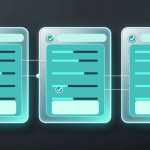
These answers fit naturally on the same canvas as the workflow itself. A visual orchestration makes the live path easier to inspect; it can also make the exit path visible before the system becomes hard to untangle.
Retirement is where privacy becomes operational
Privacy conversations often begin with where data is processed. They should also include how long a workflow stays connected, what it retains when its job changes, and who can still reach those records after the interface has disappeared.
A retired assistant should not remain a silent doorway into a business. If it had access to a knowledge base, a shared drive, a CRM, or a local runner, offboarding means checking the doorway as well as removing the sign above it.
This is one reason small teams can have an advantage. They can keep the system legible. They know who owns the customer conversation, who owns the connection, and who can say no to carrying old context forward. The goal is not to retain less by default or to make every transition painful. It is to make retention and transfer deliberate.
The exit plan makes better launches
There is a useful side effect to planning the end early: it exposes vague design decisions before they become expensive.
If nobody can say what should happen to an agent’s notes when it is retired, the team probably has not agreed on why those notes exist. If nobody can name the owner of an integration, the permission model is incomplete. If the customer-facing fallback feels awkward, the assistant may be carrying too much of the relationship.
That is not bureaucracy. It is a design review with a sharp question behind it: what are we building that will still be manageable when the business changes its mind?
Build systems you can leave well
The most mature AI teams will not be the ones that keep every experiment alive forever. They will be the ones that can learn, replace, consolidate, and retire systems without making customers pay for the transition.
Before your next agent goes live, add one small card to the workflow: its exit plan. It should say who takes over, what access closes, what context stays, what disappears, and who signs off.
That is not planning for failure. It is how you prove that the humans are still designing the system’s future. You’ve got this.

Leave a Reply